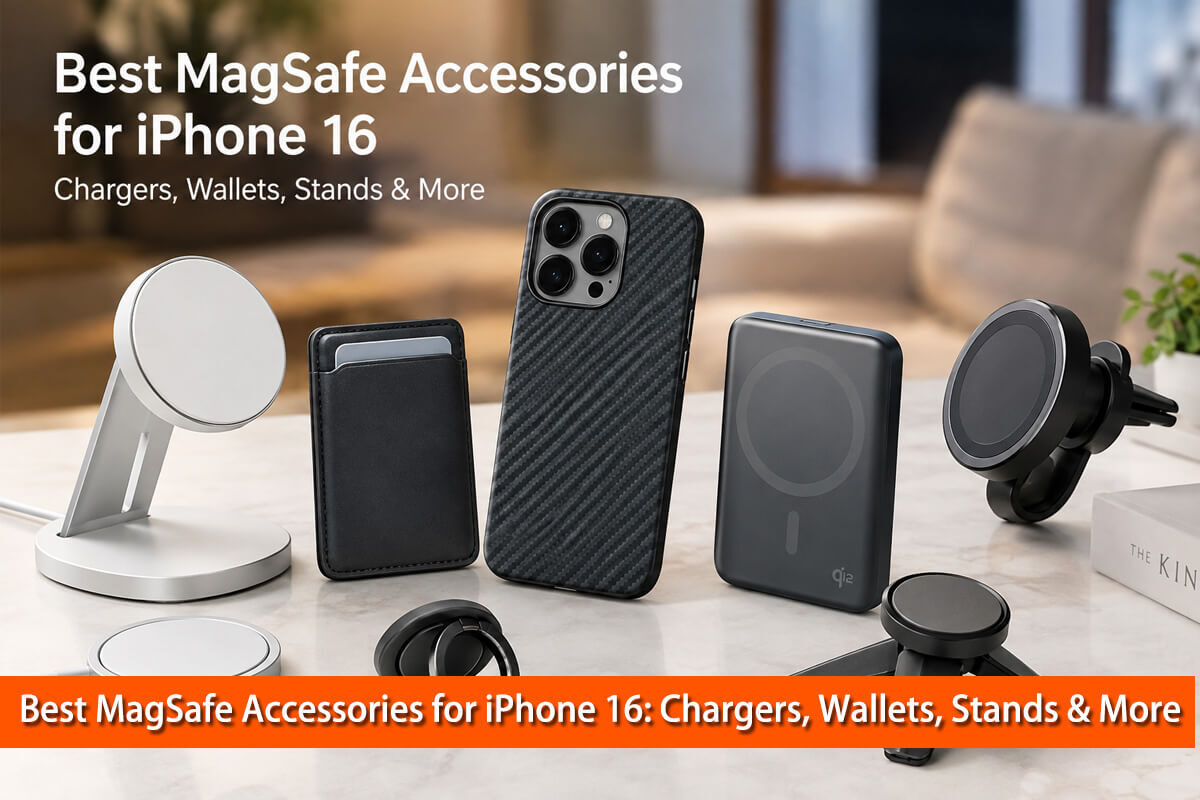
The iPhone 16 is more than a smartphone with wireless charging. Its built-in MagSafe system turns the back of the phone into a flexible mounting point for chargers, wallets, power banks, stands, car mounts, grips, and other accessories.
But with hundreds of magnetic accessories available, choosing the right one is not always easy. A product may say “MagSafe compatible” without offering the same charging performance as a certified MagSafe or Qi2 charger. A powerful magnetic power bank may be convenient but too heavy for everyday use. A wallet may look slim but hold too few cards for your needs.
As a materials and product-design perspective, I recommend choosing MagSafe accessories based on magnetic alignment, charging performance, heat management, materials, durability, and your actual use case.
This guide explains the best MagSafe accessories for iPhone 16 and what you should look for before buying.
What Is MagSafe on the iPhone 16?
MagSafe is Apple’s magnetic accessory and charging system. The iPhone 16 contains a precisely positioned magnetic array around its wireless charging area. This allows compatible accessories to snap into the correct position instead of requiring you to manually align the phone.
That alignment matters because wireless charging works best when the transmitter and receiver coils are properly positioned.
Apple states that the iPhone 16 supports MagSafe wireless charging at up to 25W when used with compatible equipment. The iPhone 16 also supports Qi2 wireless charging.
The Wireless Power Consortium, which develops the Qi standard, introduced the Magnetic Power Profile with Qi2. This adds magnetic attachment and alignment to wireless charging and is designed to improve ease of use and charging efficiency.
This means that the best MagSafe accessories for iPhone 16 are not limited to products carrying the Apple MagSafe name. High-quality Qi2 accessories can also be excellent choices.
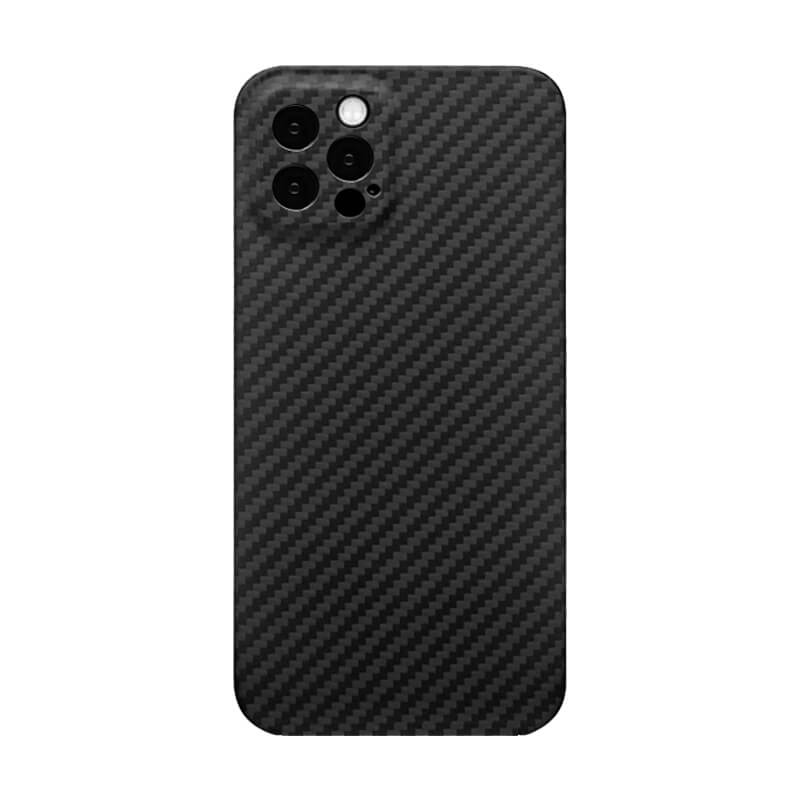
MagSafe Compatible;
Slim & Lightweight;
Precise Fit;
Premium Look;
Camera Protection;
Durable Design;
Easy Access.

You may also want to know: Is a MagSafe Phone Case Worth It? Pros, Cons & a Practical Buying Guide
MagSafe vs. Qi2: What Is the Difference?
MagSafe and Qi2 are closely related but should not be treated as exactly the same thing.
MagSafe is Apple’s accessory ecosystem and certification system. Qi2 is an industry wireless-charging standard developed through the Wireless Power Consortium.
The original Qi standard did not require magnetic alignment. Qi2 introduced a Magnetic Power Profile that allows compatible devices and chargers to align magnetically.
For iPhone 16 owners, this creates a much larger accessory ecosystem.
When shopping, pay attention to the exact wording:
- MagSafe certified: Designed and certified for Apple’s MagSafe ecosystem.
- Qi2 certified: Certified by the Wireless Power Consortium for the applicable Qi2 specification.
- MagSafe compatible: Often means the accessory uses magnets and is designed to attach to an iPhone, but its charging performance may vary.
- Magnetic: This describes attachment, not necessarily charging certification.
For a charger, certification is much more important than simply seeing a magnetic ring on the product.
Related Reading: MagSafe vs Wireless Charging: The Ultimate Comparison
Best MagSafe Accessories for iPhone 16 at a Glance
| Accessory | Best For | What to Look For |
|---|---|---|
| MagSafe Charger | Everyday charging | 25W support |
| MagSafe Charging Stand | Desk/nightstand | Viewing angle + stability |
| 3-in-1 Charger | Apple ecosystem | iPhone + Watch + AirPods |
| MagSafe Power Bank | Travel | Capacity + charging speed |
| MagSafe Wallet | Carrying cards | Magnet strength + capacity |
| MagSafe Grip | One-handed use | Grip + stand function |
| MagSafe Car Mount | Driving | Magnetic strength + Qi2 charging |
| MagSafe Tripod Mount | Photography | Stability + orientation |
| MagSafe Travel Charger | Travel | Foldability + multiple devices |
Best MagSafe Charger for iPhone 16
For most iPhone 16 owners, a magnetic wireless charger is the first MagSafe accessory worth considering.
A good MagSafe charger provides two important functions: it charges the phone wirelessly and automatically aligns the charging coils.
The latest Apple MagSafe Charger can deliver up to 25W to compatible iPhone models when paired with an appropriate power adapter. High-quality Qi2 25W chargers can also be attractive alternatives as the Qi2 standard develops.
When choosing a charger, look beyond the advertised wattage.
Consider:
- MagSafe or Qi2 certification
- Maximum supported output
- Required USB-C power adapter
- Cable length
- Heat management
- Magnetic strength
- Build quality
- Warranty
A charger rated at 25W does not mean the iPhone will constantly receive 25W. Wireless charging power changes according to battery level, temperature, software controls, and other conditions.
In practical use, charging speed is only one part of the experience.
Best MagSafe Charging Stand for iPhone 16
A MagSafe charging stand is often more useful than a flat charging puck for people who work at a desk.
Instead of placing the iPhone face-down on a surface, a stand keeps it upright. You can check notifications, make video calls, watch content, or use the phone while it charges.
A good stand should have:
- A strong magnetic connection
- A stable base
- A useful viewing angle
- Good heat dissipation
- A durable hinge if adjustable
- Support for landscape and portrait orientation
For Apple users, a 3-in-1 charging stand can be especially convenient because it may charge an iPhone, Apple Watch, and AirPods in one location.
This is an excellent choice for a desk or nightstand because it reduces cable clutter and keeps frequently used devices organized.
Best MagSafe Power Bank for iPhone 16
A magnetic power bank is one of the most useful MagSafe accessories for travel.
Instead of carrying a separate cable and holding a conventional power bank in your hand, a magnetic battery attaches directly to the back of the iPhone.
There is an important trade-off between capacity and portability.
5,000mAh Magnetic Power Banks
These are usually thinner and lighter.
They are suitable when you need emergency power during a commute, shopping trip, or short journey.
10,000mAh Magnetic Power Banks
These provide more energy for longer trips but are generally thicker and heavier.
When buying a magnetic power bank, check more than the battery capacity. Look at:
- Wireless output
- USB-C wired output
- Recharge speed
- Weight
- Thickness
- Magnetic strength
- Kickstand design
- Heat management
- Battery safety certifications
A built-in kickstand can also make a magnetic power bank much more useful because it combines portable charging with hands-free viewing.
Best MagSafe Wallet for iPhone 16
A MagSafe wallet can replace a traditional wallet for people who carry only a few cards.
The main advantages are convenience and modularity. You can attach the wallet when you need it and remove it when you want a thinner phone.
However, wallet design involves an important mechanical trade-off.
More cards increase thickness and mass. They can also increase the distance between the magnetic attachment system and the back of the phone.
When evaluating a MagSafe wallet, consider:
- Number of cards it holds
- Magnetic strength
- Wallet thickness
- Material durability
- Ease of card removal
- Protection against cards falling out
- Whether it includes a stand
- Whether it supports Find My or similar tracking features
For minimalists, a thin two- or three-card wallet may be enough. For people carrying several cards, a larger magnetic wallet may be more practical.
Best MagSafe Grip and Stand for iPhone 16
A MagSafe grip can make a large phone easier to hold.
This is especially useful for the iPhone 16 Pro Max because its larger size can make one-handed operation less comfortable for some users.
Magnetic grips come in several forms, including:
- Ring grips
- Finger straps
- Pop-style grips
- Grip-and-stand combinations
The key engineering consideration is magnetic shear strength.
A magnet can hold a load directly toward the phone very well, but sideways forces are different. Pulling, twisting, or sliding the accessory can place greater demands on the magnetic connection.
For this reason, a grip should not be judged only by how strongly it sticks to a stationary phone. The quality of the magnet arrangement, contact surface, mechanical design, and accessory weight all matter.
Best MagSafe Car Mount for iPhone 16
MagSafe has made car mounting considerably simpler.
Instead of opening a clamp every time you enter the car, you can position the iPhone against the magnetic mount and remove it just as quickly.
There are two main types:
Magnetic Car Mount
This provides mounting only.
It is simple, usually lightweight, and does not add wireless charging heat.
Magnetic Charging Car Mount
This combines mounting and wireless charging.
It is convenient for navigation because your iPhone can remain attached and charging at the same time.
For a car mount, magnetic strength is particularly important because road vibration creates continuous mechanical movement.
Also check:
- Vent or dashboard compatibility
- Mount stability
- Viewing angle
- Magnetic strength
- Charging performance
- Cable routing
- Heat management
Avoid placing the phone in direct sunlight while charging whenever possible. Vehicle interiors can become extremely hot, and high temperatures can cause the iPhone to reduce or pause charging.
Best MagSafe Tripod and Camera Accessories
MagSafe accessories can also be useful for photography and video.
A magnetic tripod mount lets you position the iPhone quickly without putting the phone into a traditional clamp.
This can be useful for:
- Travel photography
- Video recording
- Product photography
- Video calls
- Social media content
- Time-lapse photography
A good tripod mount should provide a secure magnetic connection while keeping the phone centered over the tripod’s mounting point.
For heavier phones or professional shooting, I would still recommend checking the total load and using a conventional mechanical mounting system when maximum security is required.
Does a Phone Case Affect MagSafe Accessories?
Yes. The case is one of the most overlooked parts of the MagSafe system.
A case adds distance between the magnets and the accessory. Even a small increase in separation can affect magnetic holding force.
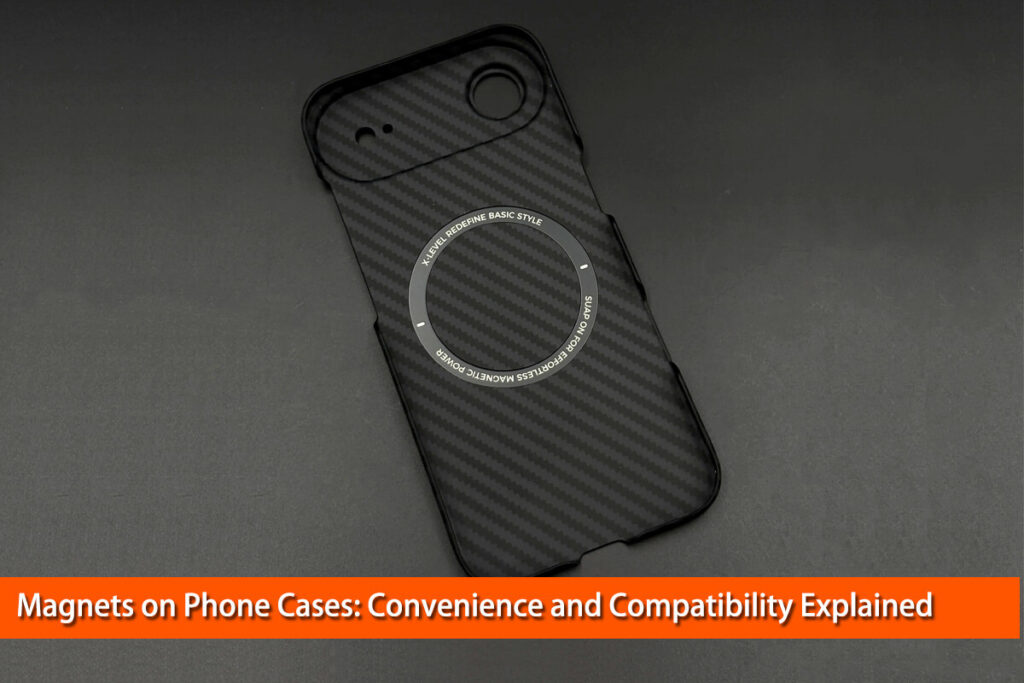
This is why a proper MagSafe case normally contains its own magnetic ring.
A thin, well-designed case can maintain a strong connection while adding relatively little bulk.
This is also relevant when choosing a carbon fiber phone case.
Carbon fiber itself should not be confused with a magnetic material. The carbon fiber shell provides structural and material properties, but the magnetic attachment comes from the integrated magnetic system.
A properly engineered MagSafe carbon fiber phone case should therefore combine the carbon fiber structure with a correctly positioned magnetic ring.
Do Carbon Fiber MagSafe Phone Cases Work with Wireless Charging?
If you are considering a carbon fiber MagSafe phone case, one of the first questions you may have is simple: Can you still use wireless charging without removing the case?
In most cases, the answer is yes—if the case is specifically designed for MagSafe and wireless charging.
For users who want a slim and rigid case, carbon fiber can be an interesting material because it offers high stiffness at relatively low weight. However, the quality of the complete case construction matters more than the material name alone.
When comparing carbon fiber phone cases, look at:
- Carbon fiber construction
- Magnetic ring placement
- Case thickness
- Camera protection
- Edge protection
- Surface finish
- Wireless charging compatibility
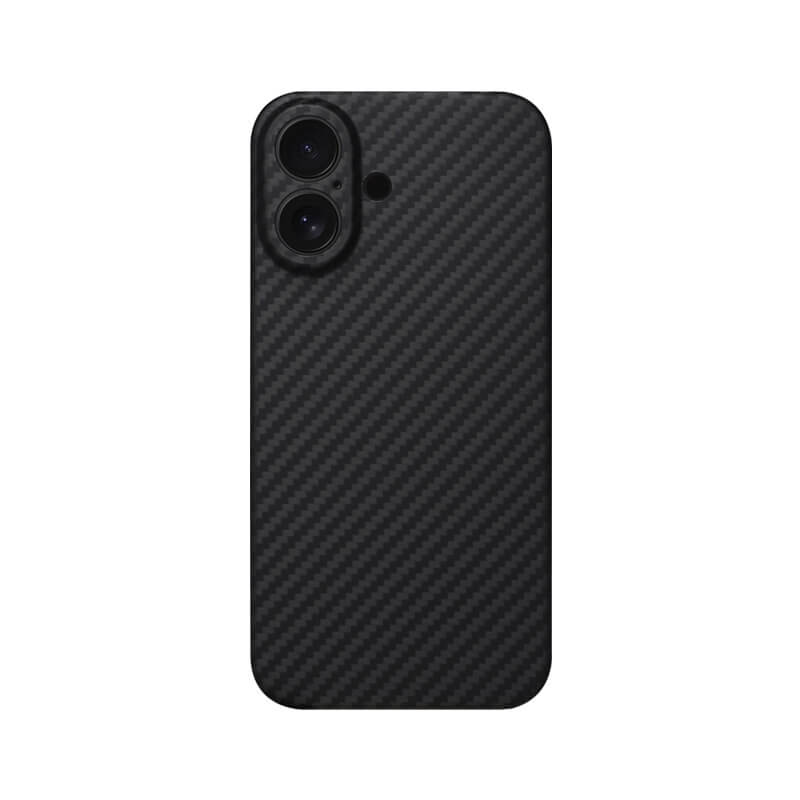
Strong MagSafe magnets ensure secure attachment.
Slim profile protects without adding unnecessary bulk.
Raised edges protect screen and camera.
Textured surface provides a secure grip.
Precise cutouts ensure easy everyday access.
Durable construction helps absorb everyday impacts.
Supports wireless charging without removing the case.
MagSafe Accessories and Heat: What You Need to Know
Wireless charging inevitably produces some heat because energy is transferred electromagnetically rather than directly through a cable.
Heat is not automatically a sign of a bad charger. However, excessive heat can reduce charging performance and contribute to battery aging over time.
Apple explains that iPhone automatically manages charging and may slow or temporarily pause charging when temperatures become too high or too low.
Apple also recommends avoiding charging in ambient temperatures above 35°C (95°F).
This is particularly important with:
- Magnetic power banks
- Car chargers
- Fast wireless chargers
- Thick phone cases
- Direct sunlight
- Gaming while charging
If your iPhone becomes unusually hot during wireless charging, remove unnecessary accessories, move the phone away from direct sunlight, and allow it to cool.
The best MagSafe accessory is therefore not necessarily the one with the highest advertised wattage. Good thermal management, proper alignment, and sensible charging control are equally important.
Common MagSafe Buying Mistakes
Mistake 1: Assuming Every Magnetic Product Is MagSafe
A magnetic ring does not automatically mean the product provides certified MagSafe charging.
Mistake 2: Looking Only at Wattage
Higher advertised wattage does not guarantee proportionally faster real-world charging.
Mistake 3: Ignoring the Phone Case
A thick or poorly designed case can weaken magnetic attachment and affect wireless charging.
Mistake 4: Buying the Largest Power Bank
More capacity means more weight. A 10,000mAh battery is not automatically better for everyday carry than a compact 5,000mAh model.
Mistake 5: Ignoring Heat
Wireless charging performance depends partly on temperature. A charger used in a hot car can behave very differently from the same charger on a cool desk.
Mistake 6: Buying Accessories You Don’t Actually Need
The strength of MagSafe is modularity. You do not need every accessory.
Start with the problem you want to solve.
How to Choose the Best MagSafe Accessories for iPhone 16
The simplest approach is to match the accessory to your daily routine.
For everyday charging: Choose a quality MagSafe or Qi2 charger.
For a desk: Choose a charging stand.
For travel: Choose a magnetic power bank and compact charger.
For carrying cards: Choose a MagSafe wallet.
For driving: Choose a stable magnetic car mount.
For photography: Choose a magnetic tripod mount or grip.
For a minimalist setup: A charger and wallet may be enough.
If you use a case, make sure it is designed for magnetic accessories. A properly engineered MagSafe case can make the entire accessory ecosystem more reliable.
Are MagSafe Accessories Worth It for iPhone 16?
For many iPhone 16 owners, the biggest advantage of MagSafe is not one particular accessory. It is the flexibility of the ecosystem.
| User Type | Worth Considering? | Most Useful Accessories |
|---|---|---|
| Office worker | High practical value | Charger + Stand + Phone Case |
| Frequent traveler | High practical value | Power Bank + Charger + Carbon Fiber Phone Case |
| Driver | High practical value | Car Mount + Phone Case |
| Minimalist | Depends | Wallet or charger |
| Content creator | Depends | Grip + Tripod |
| Heavy gamer | Depends | Wired charging may be preferable |
You can use the same phone with a charger at your desk, a wallet while shopping, a power bank while traveling, and a car mount while driving.
The best MagSafe accessories for iPhone 16 are therefore the ones that solve real problems without adding unnecessary weight, heat, or bulk.
When choosing, focus on certification, magnetic alignment, charging performance, materials, thermal behavior, durability, and your actual use case.
If you approach MagSafe accessories from those principles rather than simply choosing the product with the highest specifications, you are much more likely to build a setup that is convenient, reliable, and comfortable for everyday use.
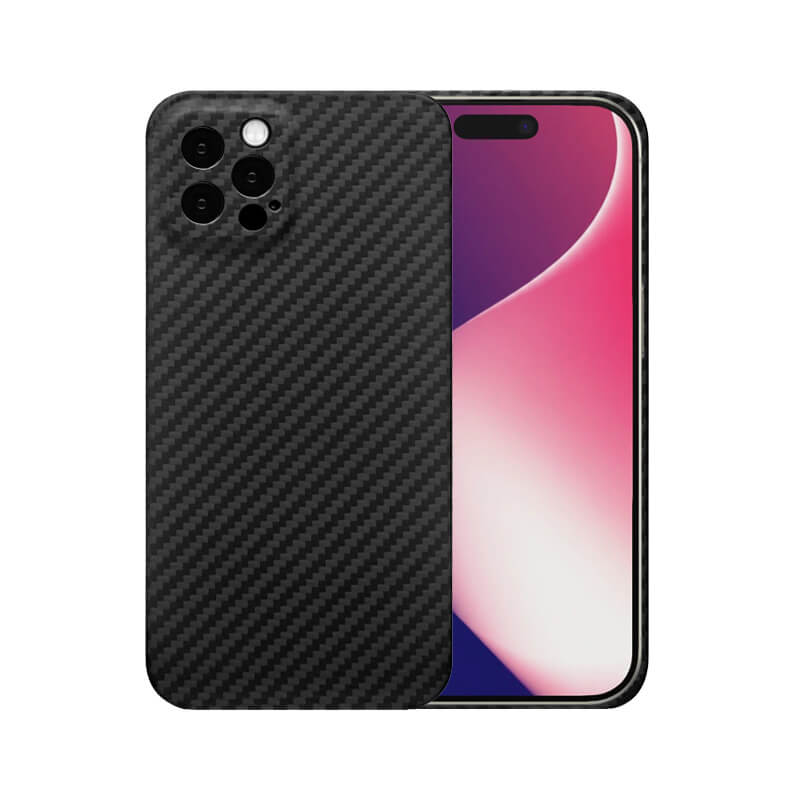
Built-in magnets ensure seamless MagSafe compatibility.
Slim design keeps your iPhone comfortable to hold.
Premium carbon fiber delivers a high-end look.
Raised edges help protect the screen and cameras.
Precise fit provides easy access to all controls.
Scratch-resistant surface maintains its premium appearance.
Supports MagSafe charging and compatible accessories.
References:
- Apple — iPhone 16 Technical Specifications: Apple confirms the iPhone 16’s MagSafe and wireless-charging capabilities.
- Wireless Power Consortium — Qi Wireless Charging / Qi2: Useful for explaining Qi2, magnetic alignment, efficiency and the newer Qi2 25W specification.
- Wireless Power Consortium — History of the Qi Specifications: Particularly useful for the technical explanation of the Magnetic Power Profile and the introduction of Qi2 25W.
- Apple Support — Charge and Maintain Your iPhone Battery: Excellent authoritative reference for lithium-ion battery aging, charging behavior and temperature.
- Apple Support — Thermally Limited Charging: Supports the section explaining why iPhone can reduce or pause charging when it becomes too hot or cold.
- Apple — Why Lithium-ion: Useful for explaining fast charging, trickle charging and lithium-ion battery behavior in simple language.